Congregation calendar app: view and subscribe
The congregation calendar in the app
The calendar page shows the congregation’s dates in a month or week view (on a phone, as a month view). It lists meetings, meeting parts, technical assignments, tasks, field service and absences, plus public witnessing, congregation events, circuit overseer visits and public holidays. “Only mine” hides everyone else’s entries.
Your dates where you already look
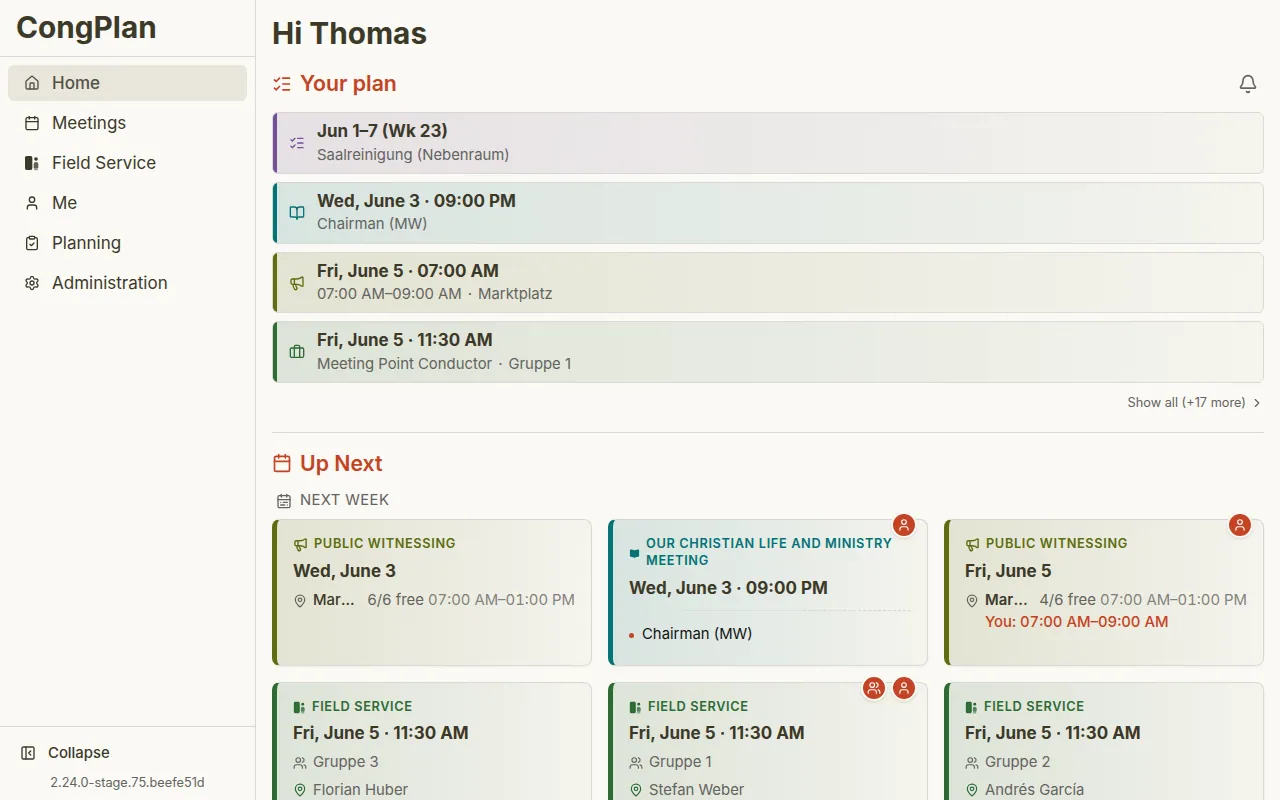
Not everyone wants to open a separate app for the congregation plan. The calendar subscription is personal: it carries only your own assignments, the meeting points of your own group, tasks, absences and congregation events, not the whole congregation’s calendar. It appears in the calendar you use every day, with setup guides for iPhone and Mac, Android and Outlook. See how an absence shows up in your calendar on the Absences page.
Set up in seconds
You’ll find the entry point right at “My Plan.” There you create a personal subscription address and add it once to your calendar app. After that, the calendar updates itself – new assignments and changes appear automatically, with nothing to export or re-import.
Correct times, even when travelling
Timed events such as meetings show the correct time no matter which time zone you are in. All-day entries such as Field Service Meetings or absences appear on the right day in your congregation’s time zone.
Private and revocable
The subscription address is personal and shows only your plan. You can revoke it at any time and create a new one if needed – for example, to remove the subscription from an old device.